Highlight text anywhere.
Generate Anki cards instantly.
Never leave your reading flow. Press ⌥ Option + C
to let AI extract Basic and Cloze cards, seamlessly pushing them to Anki.
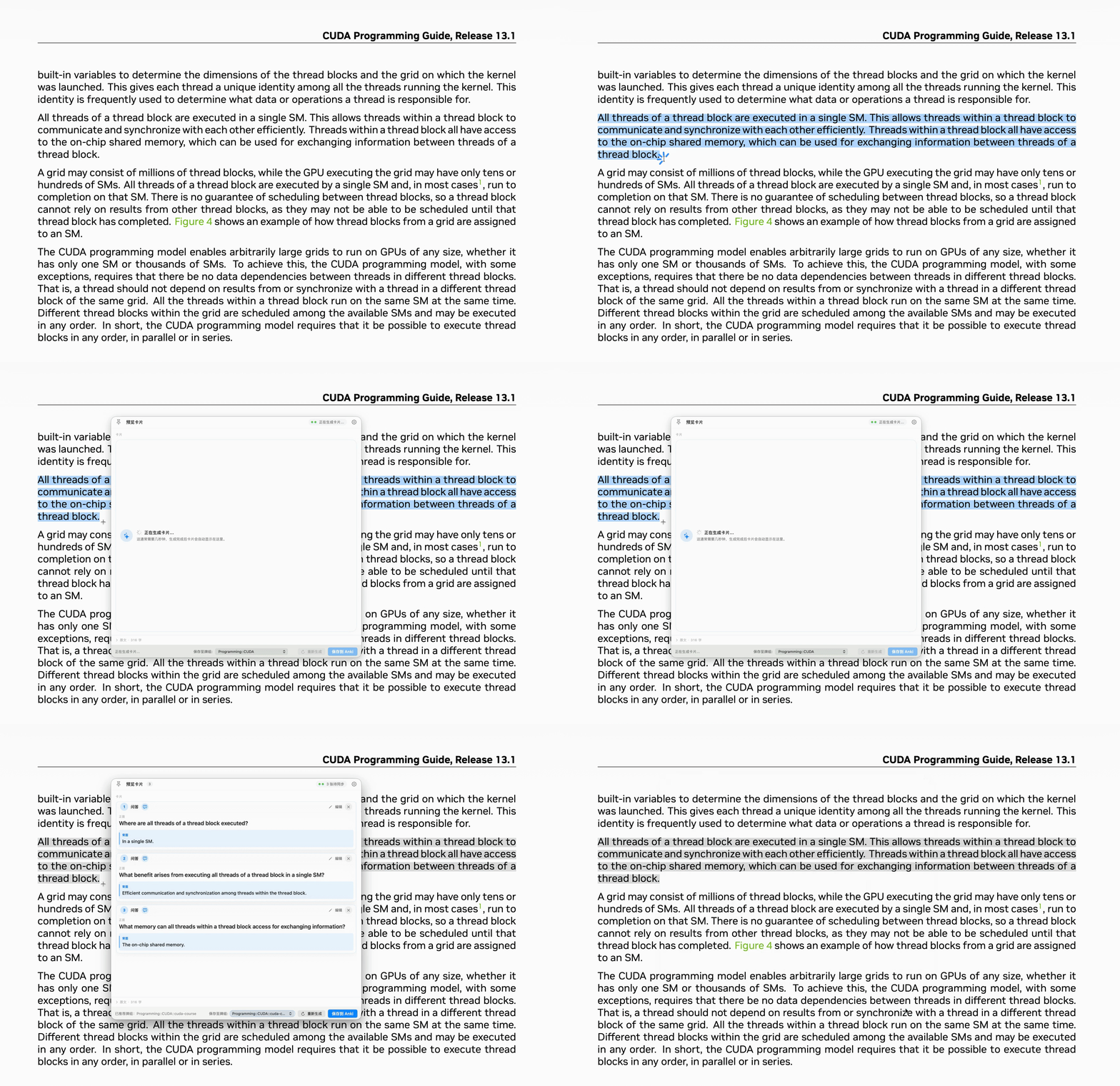
Select
Highlight any unknown word or key concept while reading in your browser or PDF.
Extract
Trigger via global shortcut. AI instantly generates memory-optimized flashcards based on the context.
Save
Preview the cards in a lightweight window, choose a target deck, and push them directly to Anki.
Lightweight, without compromise.
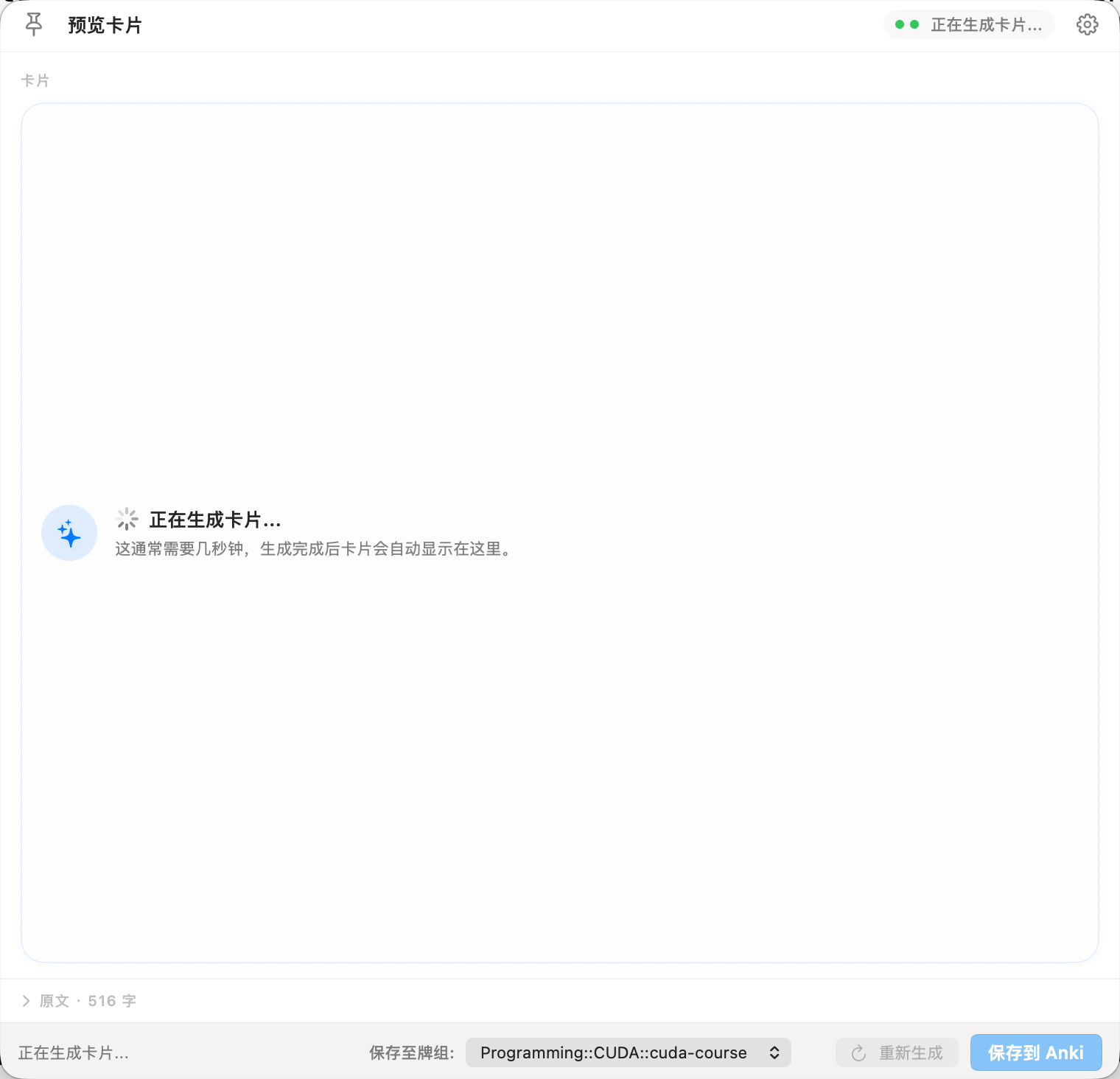
Intuitive Card Editor
The final check before saving. Clearly preview the generated 'Front' and 'Back', quickly fix any errors, and assign the card to the right deck.
- Easily switch between Basic and Cloze types
- Floating window keeps your original text in view
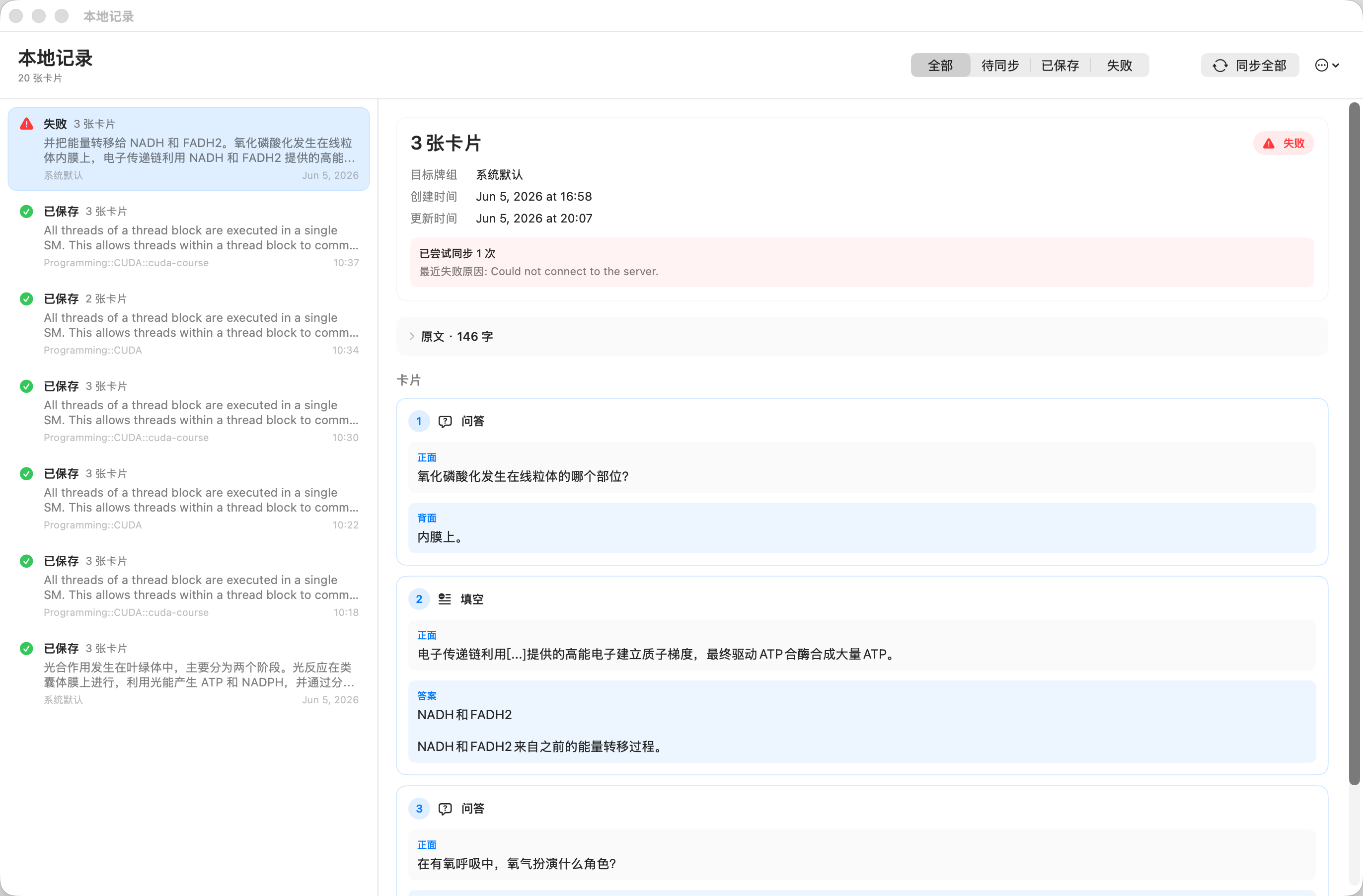
Complete Local History
A clear local records panel. Check the sync status of every card and trace back the original text context it was generated from.
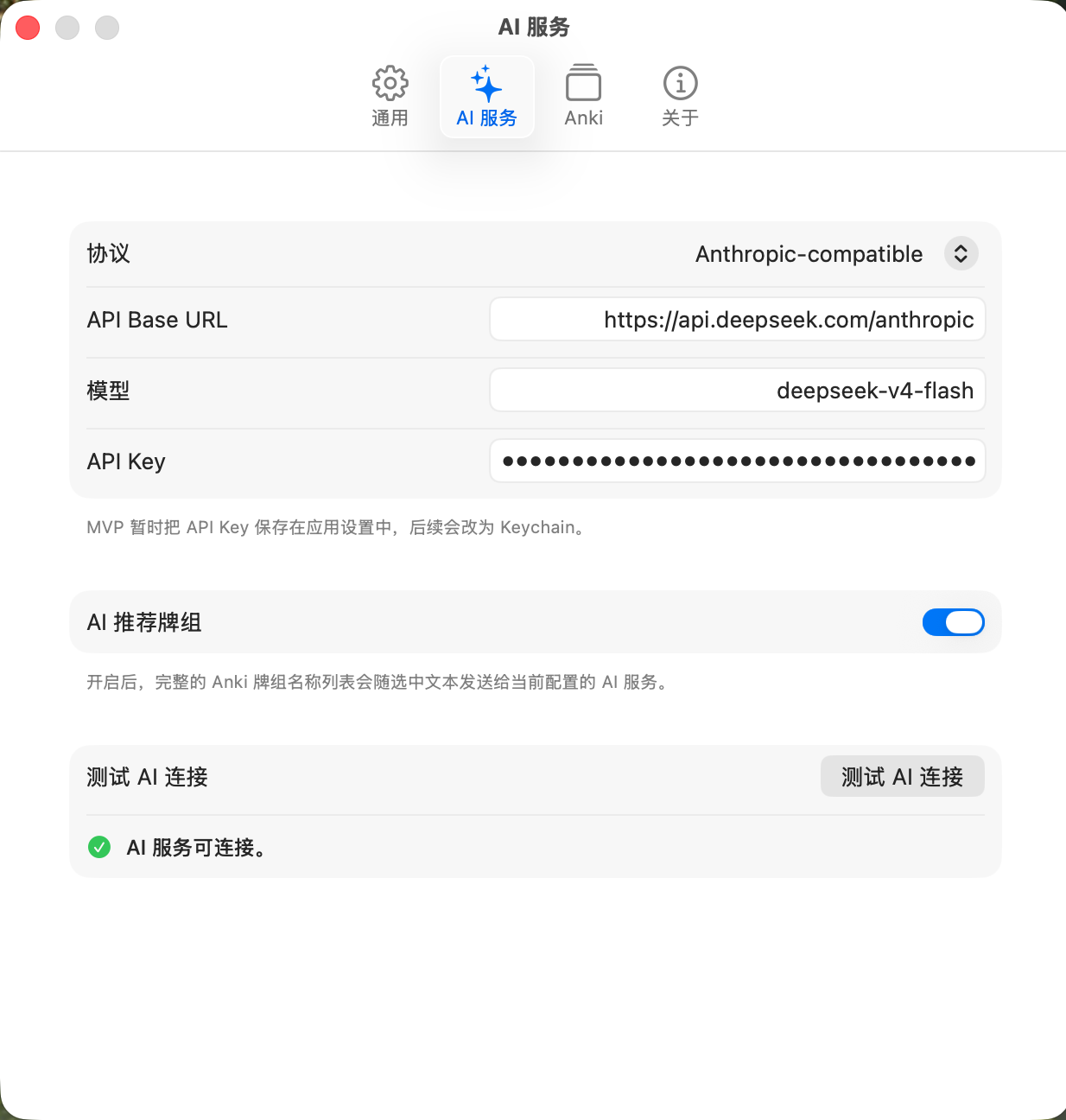
Native Preference Panel
Follows macOS design guidelines. Configure your LLM API, set custom global shortcuts, and manage your local cache easily.
Built for efficiency. Built for Anki users.
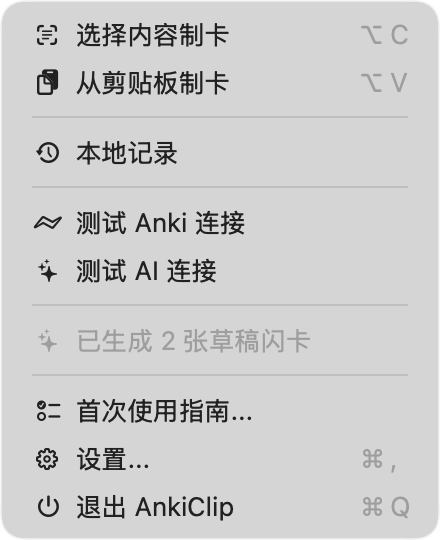
Always in the Menu Bar
A pure background utility resting quietly in your menu bar. No bloated UI, just waiting for your shortcut.
Focuses on facts, no fluff
The AI doesn't write lengthy summaries. It analyzes your highlights and extracts precise test items following the Minimum Information Principle.
Save now, open Anki later
Don't want to switch to Anki while reading? AnkiClip securely caches your cards locally and automatically syncs them the next time Anki is open.
Organized Deck Routing
Powered by AnkiConnect. Assign specific target decks when saving to keep your growing knowledge base perfectly organized.
Remove friction between reading and remembering
AnkiClip is preparing its first public build. You can review the workflow, setup requirements, and privacy notes now.
View release statusData Privacy & Security
Your highlights are only sent to the AI provider you configure. AnkiClip does not collect or upload your reading data.